


How Optimum Internet Support Works Inside and Outside Your Home
By: Vincent Totino
Read Time: 7 min.
June 11, 2026
You're in the middle of working on an important project at home, and all of a sudden your Internet slows to a crawl. It's frustrating, and it happens to everyone at some point. You try a few quick fixes, but nothing seems to improve your connection.
The good news is that as an Optimum customer, getting help is straightforward. Whether you prefer online resources, phone support, or in-person assistance, Optimum has you covered. In this article, we'll walk you through how to reach our tech support team, what to expect from them, and steps you can take on your own to keep your Internet running smoothly.
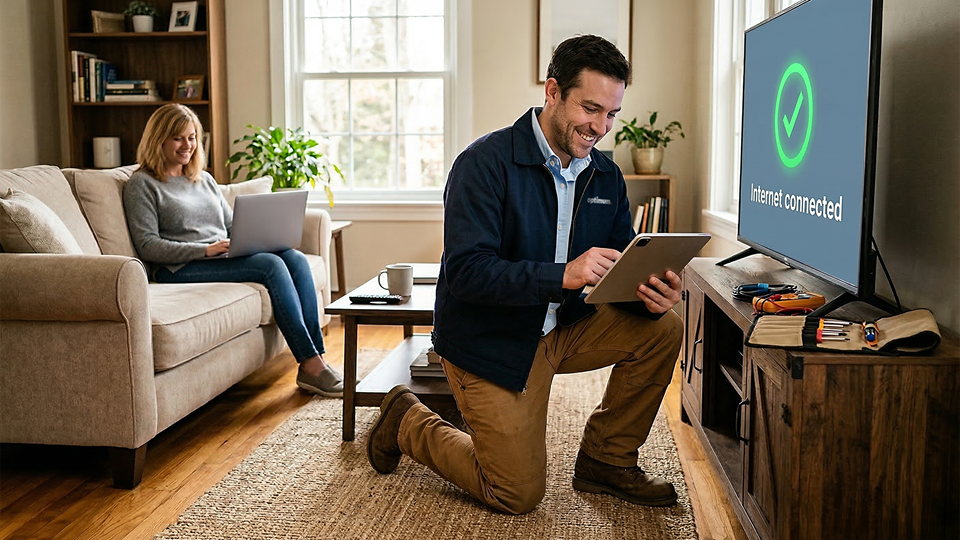
How to Request Optimum Internet Tech Support
If you need assistance with your Optimum Internet, you have several options. First, you can visit our Optimum Internet support page, which serves as a comprehensive knowledge base. Type your question into the search bar, or browse articles and guides for step-by-step help.
If that doesn’t resolve your issue, head to our Contact Us page. There, you'll find our Customer Support number, a live chat option, and a way to locate your nearest Optimum store for in-person help. Choosing the right support method can save time and get you back online faster.
Preparing for a Tech Support Appointment
Before contacting a technician, try some basic troubleshooting on your own. Check all cables and ensure your modem and router are properly powered. Restarting these devices can solve many common problems. If your connection is still slow, check Optimum's website or app for service alerts or error messages. Doing these steps before a tech visit can save time and help the technician pinpoint the issue faster.
Navigating Appointment Timeframe Windows
When scheduling an in-home appointment, you'll be given a time window for the technician's arrival. If you're not home during this window, the appointment will be canceled and will need to be rescheduled. Being prepared and present ensures that your issue can be addressed efficiently.
What to Expect From the Support Technician
Optimum technicians follow a clear process to identify and resolve issues. Understanding what happens during an appointment can make the experience smoother.
Modem and Router Assessment
A technician will first evaluate your modem and router. Outdated or incompatible equipment is a common cause of slow or intermittent Internet. The technician will let you know if replacement or upgrades are needed. They may also point you to our website for guidance on which routers are best suited for your home setup.
System Resets
A professional system reset goes beyond unplugging your router. Our technician can re-sync your equipment with Optimum's network, clearing backend errors and refreshing settings. This helps fix persistent issues like slow speeds, dropped connections, or devices that won't stay online.
Exterior Wiring and Infrastructure Inspections
If issues persist, the technician will inspect outdoor wiring, junction boxes, and network infrastructure. They check for damage, wear, or other factors that could interfere with service. These inspections help prevent future service interruptions and ensure your home connection meets Optimum's standards.
Online Internet Tech Support and Troubleshooting
Optimum wants you to have the tools to troubleshoot issues yourself whenever possible. Our online resources and guidance make it easy to take control of your Internet experience.
DIY Modem and Router Troubleshooting
You can do a lot at home to improve your connection. Ensure all cables are secure, and reboot your modem and router if needed. Place your router in a central location free from obstructions to maximize signal coverage.
Review your plan and Internet usage, too. If multiple devices are streaming or gaming at the same time, your plan may need a speed upgrade. Firmware updates or switching some devices to wired connections can also improve performance.
Remote System Reset
Sometimes a technician visit isn't necessary. By calling Optimum support, our team can perform a remote system reset. Commands are sent directly to your modem or gateway, refreshing your connection and settings without an in-person visit. This process resolves many common connectivity issues quickly.
Optimum Stores Offer In-Person Help
For certain problems, face-to-face support can be the fastest solution. Visit your local Optimum store to speak with a representative directly. Find your closest Optimum location by logging onto our site and searching by city or zip code.
Our retail locations, primarily in the New York tri-state area, support a 21-state footprint. In-person help allows you to ask detailed questions, swap equipment, and implement basic troubleshooting. Representatives are ready to assist with whatever you need, from account verification to technical guidance.
Optimum’s Commitment to Infrastructure Upgrades
Optimum continually invests in its network to provide faster, more reliable service. In 2025, we announced plans to enable the delivery of multi-gigabit Internet speeds across 65% of our footprint by 2028.
As Nate Edwards, Executive Vice President, Network Services at Optimum, said, "By investing in our network, boosting multi-gig speeds, and expanding fiber internet access, we’re not just creating a faster connection — we’re paving the way for innovation and growth for our customers.”
These upgrades support more reliable streaming, gaming, video conferencing, and smart home functionality.
Optimum wants to keep your home connected and future-ready, so here are a few additional tips to maximize your connection:
- Check device placement: Routers perform best in open, central locations.
- Limit interference: Keep routers away from microwaves or thick walls.
- Update firmware: rove speed and security.
- Secure your network: Use strong passwords to prevent unauthorized users from slowing down your connection.
If your internet isn’t performing as it should, Optimum is here to help and wants to keep you connected.
Reach out to our tech team online, via phone, or at any Optimum Store location for Internet troubleshooting and support.
Frequently Asked Questions (FAQs)
How do I contact Optimum internet tech support?
A: You can get support from Optimum through several convenient channels. For immediate digital help, browse step-by-step guides on the Optimum Internet support page or use the live chat on the Contact Us page. You can also call Customer Support directly, or visit your nearest local Optimum retail store for face-to-face assistance and equipment support.
What should I do before an Optimum technician arrives for an appointment?
Before your technician arrives, perform a few basic troubleshooting steps: verify that all cables are tightly secured, ensure your modem and router have power, and restart both devices. Additionally, check the Optimum app or website for local service alerts. Note: Make sure an adult is present during your scheduled arrival timeframe window, as missing the window will result in a canceled appointment.
What happens during an Optimum in-home tech support visit?
During an in-home appointment, an Optimum technician will follow a comprehensive check to isolate your connectivity issues:
- Equipment Assessment: They will evaluate your modem and router to ensure they aren't outdated or underperforming.
- System Resets: They will re-sync your equipment with Optimum’s network to clear backend errors.
- Infrastructure Inspection: If interior fixes don't work, they will check exterior wiring and junction boxes for physical wear or weather damage.
How do I fix a slow or dropping Optimum internet connection myself?
You can often improve your home internet speeds with a few simple DIY steps:
- Reboot your equipment: Unplug your modem and router, wait 30 seconds, and plug them back in.
- Optimize router placement: Position your router in a central, open location away from obstructions like thick walls or electronics (like microwaves) that cause signal interference.
- Manage network demand: Disconnect unused devices or switch high-bandwidth devices (like gaming consoles) to a wired Ethernet connection.
Can Optimum fix my internet remotely without a home visit?
Yes. Many common connectivity bugs, dropped signals, and slow speeds can be resolved without a technician visiting your home. When you contact Optimum support, their team can trigger a remote system reset. This sends direct commands to your modem or gateway to clear system errors, refresh your network settings, and restore your connection instantly.
What services can I get at a local Optimum store?
Local Optimum store locations offer comprehensive, in-person support across a 21-state footprint. By visiting a retail store, you can speak directly with a representative to ask technical questions, swap out or upgrade your modem and router, verify your account details, and get hands-on troubleshooting guidance.
YOU MAY ALSO LIKE

Optimum vs. AT&T: Compare Internet speed, pricing and coverage
- Read Time: 8 min.
- Internet
- October 08, 2026

How Much Internet Speed Do You Need?
- Read Time: 8 min.
- Internet
- October 08, 2026

How to Find The Best Internet Service Providers (ISPs) In Your Area
- Read Time: 6 min..
- Internet
- October 08, 2026