


How to contact Optimum based on what you need
By: Vincent Totino
Read Time: 8 min.
June 11, 2026
Whether you've got a billing question, a service hiccup, or you're ready to add something new to your plan, getting help from Optimum doesn't have to be a hassle. From online chat to in-person support at an Optimum Store, there are more ways to connect than you might think and we're breaking them all down so you can get to the right resource fast. My Optimum app allows quick access to major activities the customer needs to check such as view bill, pay bill, enroll in autopay, check network status.
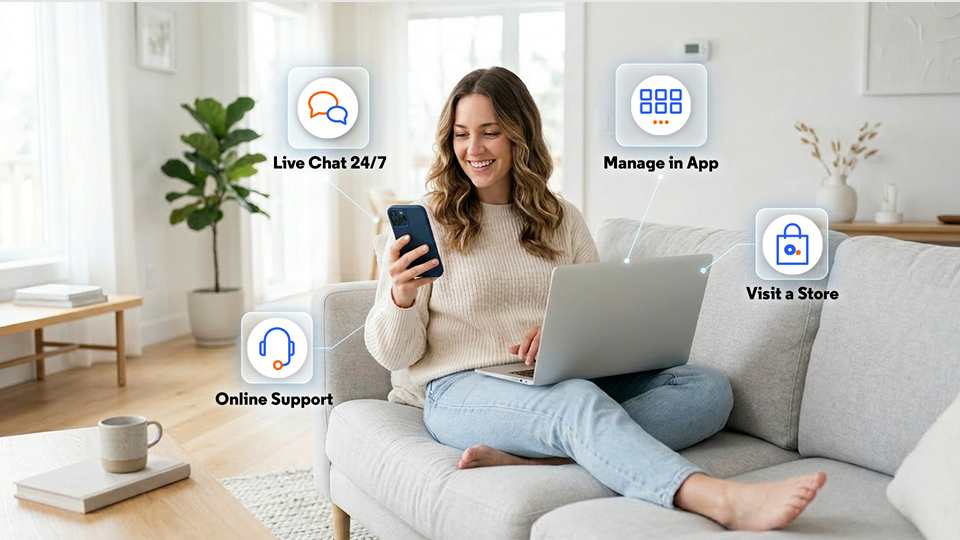
Connecting with Optimum customer service
Optimum offers several ways to get support, depending on what you need. Online chat, in-store visits, and self-service tools through your account are all options and each one is built around making your experience as smooth as possible.
How to reach a live person for help
This is the one everyone asks about, and for good reason. If you want to speak with a real person at Optimum, your best bet is to head to optimum.com/contact-us. From there, you can initiate a live chat with a support agent 24/7. It's fast, it's direct, and you don't have to navigate a phone tree to get there.
Prefer to talk it out face to face? That's an option too. You can also initiate a live chat through My Optimum app. The app makes it easy for you to connect with an agent from different sections such as my account, WiFi or My Bill. (note: not sure if this is important but you need optimum ID & PW to login the app).
In-person customer service help at an Optimum Store
Sometimes nothing beats walking in and talking to someone directly. Optimum Stores are staffed with knowledgeable team members who can help with equipment returns and upgrades, account questions, bill payments, and more. Visit Optimum's store locator page to find the location nearest you, check hours, and plan your visit.
Contact customer service for Optimum Mobile
Got questions about your Optimum Mobile plan? Whether you need help with your bill, want to upgrade your device, or just need to troubleshoot something, Optimum Mobile has dedicated support channels to get you sorted.
Optimum Mobile online customer service
The fastest way to reach Optimum Mobile support is through live chat. Agents are available around the clock - no hold music, no waiting. Just head to optimum.com/mobile/contact to get started. Both Apple and Android users can access mobile chat directly from their devices. And if you have MY Optimum app you can also connect with live chat through the app. Note: As of now the app will not show a mobile customer their bill but they can access chat and connect with agents (Only if they have a fixed account since they need Optimum ID).
Optimum Mobile online support
For self-service solutions, the Optimum Mobile support center at support.optimummobile.com is a solid first stop. You'll find step-by-step guides, FAQs, and troubleshooting articles covering everything from activating a new line to managing your account settings. Many common issues can be resolved right there without ever needing to contact an agent.
Optimum Mobile billing
Billing questions are among the most common reasons customers reach out - and they're easy to address. You can review your current bill, make a payment, and manage Auto Pay directly through your Optimum Mobile account online. For specific billing concerns, connect with a live agent via chat at optimum.com/mobile/contact.
A few things worth knowing about your bill:
- Pricing is based on good credit and does not include taxes.
- Auto Pay discounts are applied automatically when enrolled — just make sure your payment method is up to date.
- Promotional credits, like those from a trade-in, may take up to 2 billing cycles to appear on your bill.
Optimum Mobile online resources
For deeper dives into your Optimum Mobile service, the help center at support.optimummobile.com covers a wide range of topics, including how to contact Optimum Mobile support for specific needs. Bookmark it. It's a genuinely useful resource.
Customer service and support for Optimum Internet and TV
For Optimum Internet and TV customers, support is available through your online account, live chat, or at any Optimum Store. Here's a breakdown of the most common needs and how to handle each one.
Modify existing services
Thinking about upgrading your Internet plan, adding a TV package, or making changes to your current setup? You can manage most service changes directly through your Optimum account online. Log in, head to your account settings, and explore available plan options. If you'd rather talk through your options with someone, a live chat agent can walk you through what's available based on your address and current plan. They can use the chat option in the app here as well but it will be customer service
Billing help
For billing questions related to your Optimum Internet or TV service - including reviewing charges, updating payment information, or understanding a specific line item on your bill - your online account is the most efficient place to start. Live chat support is also available at optimum.com/contact-us if you need a little extra help making sense of things. You can easily review your bill in My Optimum app in my bill section and if you have a question, you can directly reach live agent through chat from my bill section and then agent will know you have a question regarding the bill
Schedule tech support
Experiencing connectivity issues or in need of a technician visit? You can schedule tech support through your Optimum account or by chatting with a support agent at a>contact-us">optimum.com/contact-us. When you reach out, have your account information handy. It'll help the team diagnose the issue faster and get you back online sooner.
Find an Optimum Store for in-person support
For customers who prefer face-to-face interaction, Optimum Stores are a great resource. In addition to general account support, store team members can assist with equipment swaps, new service setup, and device trade-ins for Optimum Mobile. Use Optimum's store locator page to find your nearest location.
Getting the help you need, your way
No matter what you're dealing with - a billing question, a service issue, or something in between - Optimum has a support option that works for you. Live chat is available 24/7 for the fastest response, the online support center is there whenever you need it, and Optimum Stores are ready to help in person. Optimum is dedicated to providing an outstanding customer service experience. Reach us through MY Optimum app, Contact us via phone, online, or at any Optimum Store location.
Frequently Asked Questions (FAQs)
How can I speak to a live person at Optimum?
The fastest and most direct way to reach a live support agent is through Optimum's 24/7 live chat at optimum.com/contact-us. You can bypass phone menus completely by utilizing this feature. Additionally, if you download the My Optimum app, you can instantly launch a live chat from the "My Account," "Wi-Fi," or "My Bill" sections after logging in with your Optimum ID and password.
What features are available on the My Optimum app?
The My Optimum app is a self-service tool that allows you to easily manage your home Internet and TV accounts. Once logged in with your Optimum ID, you can view your bill, make payments, enroll in AutoPay, check your local network status, and launch live chat support. Note: If you are an Optimum Mobile-only customer, the app will not display your mobile bill, but you can still use it to connect with mobile chat support if you have a linked fixed account.
How do I contact customer service for Optimum Mobile?
You can reach Optimum Mobile customer service 24/7 through online live chat at optimum.com/mobile/contact. This dedicated mobile support channel is easily accessible from both Apple and Android devices. For self-service troubleshooting, device activations, and helpful guides, you can also browse the Optimum Mobile Help Center at support.optimummobile.com.
Why hasn't my Optimum Mobile promotional credit appeared on my bill yet?
If you recently traded in a phone or signed up for a promotional offer, please note that promotional credits can take up to two billing cycles to appear on your monthly statement. Keep in mind that standard Optimum Mobile billing prices are based on approved credit, do not include local taxes, and require your AutoPay payment details to be kept up to date to maintain active AutoPay discounts.
How do I change my Optimum Internet or TV plan?
You can modify your existing services without calling in. Simply log into your Optimum account online to explore available plan upgrades, add TV channels, or adjust your Internet packages. Alternatively, you can open a live chat session via the website or the My Optimum app, and a customer service representative will walk you through the best offers available for your specific address.
What support can I get at a physical Optimum Store location?
Physical Optimum Store locations are ideal for face-to-face assistance. Walk-in visitors can get help with returning or swapping out Internet and TV equipment, making in-person bill payments, setting up new lines of service, and executing device trade-ins for Optimum Mobile. You can find your nearest branch and view its operating hours by visiting optimum.com/locations.
YOU MAY ALSO LIKE

Experience a taste of The Golden Life
- Read Time: 1 min.
- Communities
- October 08, 2026
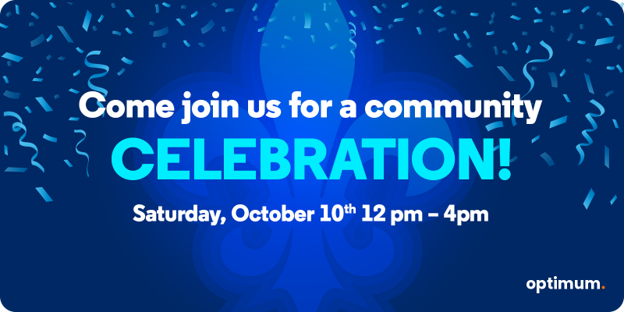
Join Us for a Community Celebration in Lake Charles
- Read Time: 1 min.
- Communities
- September 24, 2026

Optimum's Fiber Investment in Tyler, TX Fortifies Emergency and Government Services
- Read Time: 2 min.
- Communities
- October 21, 2025